
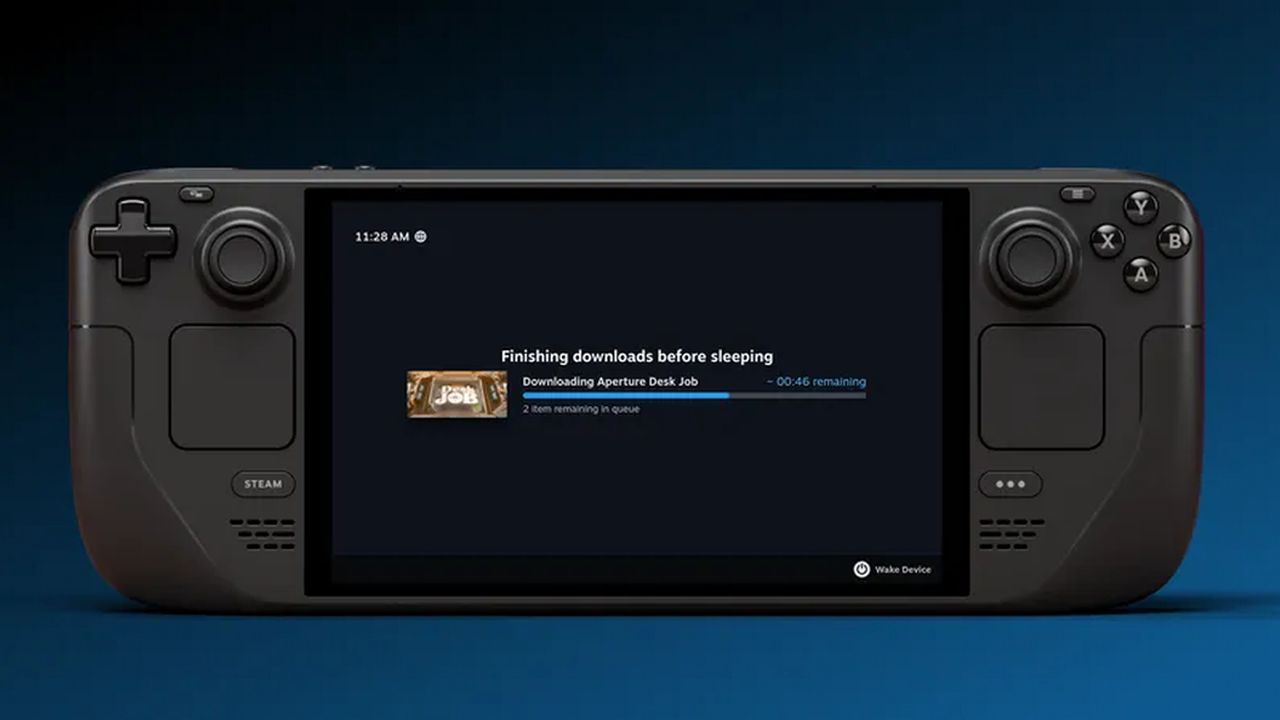
It has been on the wishlist forever, and Valve has just ticked it off: Steam Deck now keeps downloading even with the display off. The beta client enables a low-power mode that finishes your queue, then puts the handheld to sleep.
The feature is live in the Steam Deck beta client and is on by default when the device is plugged in. In that state the Deck completes all queued downloads with the screen off, then enters sleep.
You can also enable display-off, low-power downloads on battery. After installing the latest beta, head to Settings > Power and scroll down. You can disable the behavior there as well if you prefer the display to stay on while pulling patches.
Valve says display-off downloads are accessible in two ways:
- Power button during a download brings up a new dialog asking if you want to keep downloading with the screen off. Choose Continue to enter the low-power download mode.
- Automatic switch kicks in after an idle timeout and moves the Deck into that same mode.
While in this mode, pressing a button or moving the Deck shows a status screen with progress. From there you can fully wake the system or let it continue with the screen off.
If you use screen-off downloads while unplugged, the Deck will auto-sleep when the battery drops below 20 percent. That will not leave much juice for play, but it helps prevent data corruption or other weirdness after huge downloads.
Given Valve’s usual cadence, expect the feature to roll from the SteamOS beta branch to stable within roughly the next month.
Source: PC Gamer













Leave a Reply