
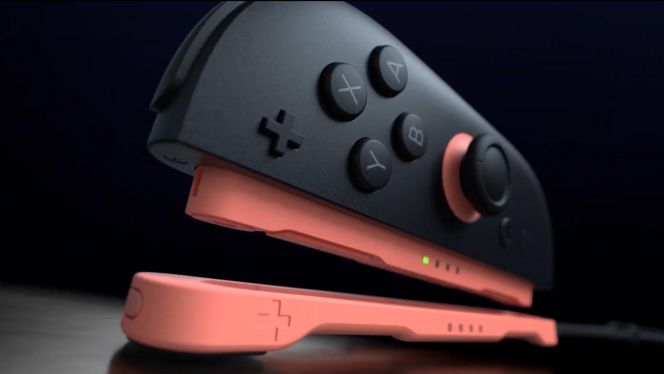
A developer showed in a video that a traditional mouse can be used instead of the Joy-Con 2 mouse.
On Thursday, Koei Tecmo released a video showcasing gameplay for the Nintendo Switch port of the strategy game Nobunaga’s Ambition: Awakening Complete Edition. In the video, producer Michi Ryu used the right Joy-Con 2 mouse controller to move the on-screen cursor. He pressed the SL button, and a message on the screen indicated that the controller was now in mouse mode. Pressing the button again switched the Joy-Con 2 back to controller mode.
The Developer Demonstrates New Features
Ryu explained that this functionality is the same as in the already released Steam version, allowing for left and right clicks, as well as wheel operation. In mouse mode, moving the Joy-Con’s analog stick up and down has the same functionality as moving the scroll wheel up and down. While using the right Joy-Con 2 for mouse control, the left Joy-Con 2 can be used for various shortcuts, such as speeding up or slowing down time and moving to different castles.
He then connected a standard USB mouse and confirmed that it could also be used on the Switch 2. When a mouse is connected, a message appears on the screen indicating that the mouse is connected and takes priority over the Joy-Con 2’s mouse control. The USB mouse is used with the right hand, and the left Joy-Con 2 is used with the left hand. Therefore, all control shortcuts are available when using a traditional mouse.
You can also connect USB keyboards and mice to the first Nintendo Switch, but since not many Switch games support keyboards or mice, they are not very useful. Since the new Nintendo Switch 2 hardware includes a built-in mouse controller, a much larger number of games will likely support the mouse controller and thus the USB mouse. We’re sure to see more examples soon, as the Nintendo Switch 2 will be available on June 5.
Source : VGC










Leave a Reply