
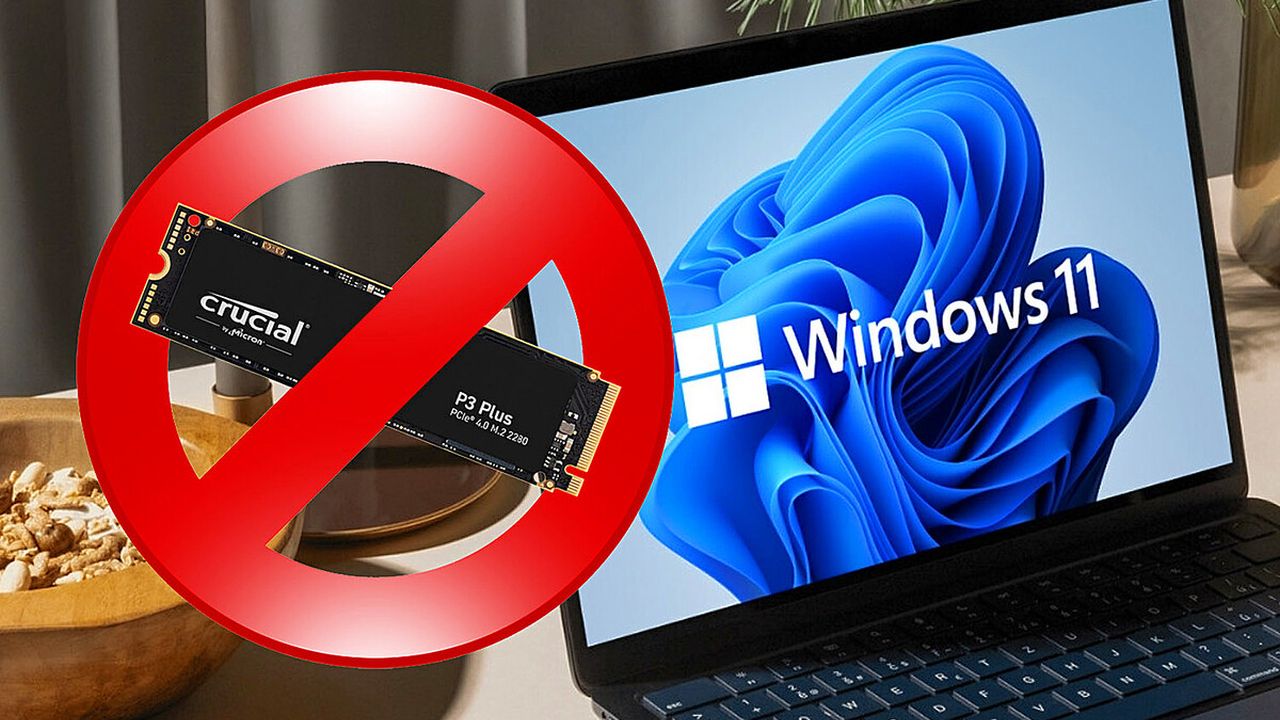
TECH NEWS – If you use your SSD heavily and have Windows 11 installed, take caution. The operating system’s newest update has introduced a bug that is rendering drives from multiple manufacturers completely unusable.
Although Windows 11 will eventually become unavoidable for those who want to run programs that depend on it, many users remain hesitant to move away from Windows 10. Incidents like the one that has just surfaced only reinforce that caution, and some who already upgraded are now considering rolling back to the earlier version.
The most recent 24H2 update (KB5063878) has created a serious compatibility issue between Microsoft’s operating system and SSDs using Phison controllers. In practice, the drives stop responding or are no longer recognized by Windows 11. Restarting the PC does not always resolve the issue. The problem is triggered when carrying out large data transfers or when most of the drive’s capacity is already in use — a common situation for gamers and professionals storing large programs or game files.
The Update That Breaks SSDs in Windows 11
As reported by HardZone, since the rollout of update KB5063878 on August 12, numerous users have experienced their SSDs “vanishing” from their systems, as if they were never installed. Neither Microsoft nor Phison, the controller manufacturer, has released an official statement on the matter.
The discovery came from the user community itself. One such report was posted by user Necoru_cat on X, outlining the specific models affected and the conditions that trigger the bug. While the majority of reports involve SSDs, some HDDs are also included. The common denominator is the writing of large amounts of data to a drive that is already more than 60% full — for example, transferring over 50GB of files.
Drives Confirmed to Be Affected
| Manufacturer | Model | Phison Controller |
|---|---|---|
| Corsair | Force MP600 | PS5016-E16 |
| Sandisk | Extreme Pro M.2 | PS5016-E16 (Triton MP28) |
| Crucial | Crucial P3 | PS5021-E21T |
| Kioxia | Exceria Plus G4 | PS5018-E18 |
| Sabrent | Rocket 4 Plus | PS5021-E21T |
| Kingston | NV2 | PS5012-E12 |
| PNY | CS3030 | PS5012-E12 |
| Fikwot | – | – |
To determine if your drive is at risk, open Windows Device Manager and check under “Storage Drives.” Searching your drive’s model online or consulting the manufacturer’s website can confirm whether it uses an affected controller. Some companies also provide diagnostic software that displays model and firmware details. If you are unsure, third-party tools like HWiNFO64 or CrystalDisk Info can offer accurate results. If your drive is affected, avoid installing this update until Microsoft releases a fix.
What If You Already Installed the 24H2 Update?
First of all, don’t panic. The bug only activates if the drive is already at 60% or more capacity and a single write operation exceeding 50GB takes place. The best step is to avoid installing or deleting anything of that size under those conditions. If your drive usage is significantly lower — for example, around 35% — you can safely install programs or transfer files larger than 50GB without triggering the issue. Still, it is advisable not to let storage climb close to the 60% mark. If you’re already above it, minimize the risk by freeing up space — but do so in smaller steps. Remove or uninstall files and programs individually, ideally those under 50GB in size.
If you have another unaffected drive, transferring files in batches of no more than 50GB is a practical workaround. The general rule for now is to keep affected drives at or below 50% capacity and restrict usage to smaller installations and data transfers. Meanwhile, check your drive manufacturer’s website and Microsoft’s support page regularly for updates. In some cases, a restart may temporarily bring affected drives back to life, but this is not guaranteed. Freeing up space is still recommended as a precaution.
Source: 3djuegos

![The Nintendo Switch 2 Keeps Pace with the Xbox Series S Even in the Case of the Oblivion Remaster! [VIDEO]](https://thegeek.games/wp-content/uploads/2026/08/oblivion-remastered-switch2-1280x720-1-302x180.jpg)


![Marvel’s Wolverine Is Getting a Limited-Edition Console, Cover, and DualSense Controller! [VIDEO]](https://thegeek.games/wp-content/uploads/2026/08/wolverine-ps5-bundle-1280x720-1-302x180.jpg)
![Phantom Blade Zero: From Pre-Orders to State of Play [VIDEO]](https://thegeek.games/wp-content/uploads/2026/08/phantom-blade-zero-1280x720-2-302x180.jpg)




![The Nintendo Switch 2 Keeps Pace with the Xbox Series S Even in the Case of the Oblivion Remaster! [VIDEO]](https://thegeek.games/wp-content/uploads/2026/08/oblivion-remastered-switch2-1280x720-1-300x365.jpg)

![Marvel’s Wolverine Is Getting a Limited-Edition Console, Cover, and DualSense Controller! [VIDEO]](https://thegeek.games/wp-content/uploads/2026/08/wolverine-ps5-bundle-1280x720-1-300x365.jpg)
Leave a Reply