
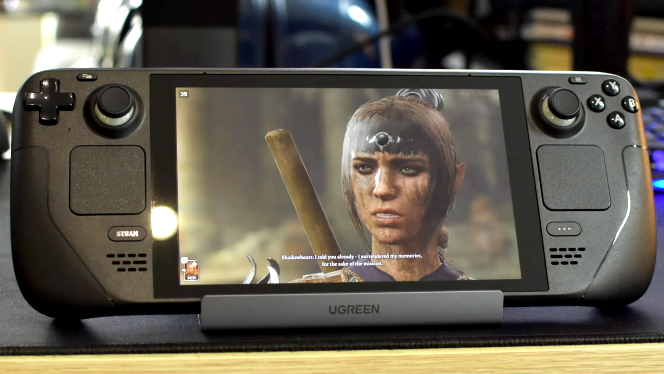
Baldur’s Gate 3 now runs significantly better on Steam Deck thanks to a Larian Studios developer who spent his free time improving it. The legendary CRPG’s Update 34 introduces a native Steam Deck version — a passion project born from one engineer’s dedication.
Earlier this week, journalist Brenda Giacconi reported on the release of Update 34 for the critically acclaimed Baldur’s Gate 3. Among its many improvements, one change stands out for Steam Deck owners: the game now runs natively on Valve’s handheld console. And it’s all thanks to the initiative of one passionate employee at Larian Studios.
But what does “native” mean in this context? The Steam Deck runs on SteamOS, a Linux-based operating system. Because most PC titles are built for Windows, Valve uses a compatibility layer called Proton to make them work. This solution is generally excellent, as it allows you to run a huge library of games without tweaking anything. However, in the case of Baldur’s Gate 3, Proton can sometimes slow things down because it requires extra CPU resources for compatibility.
Was this entire patch the work of one person? Not exactly — but Larian Studios did single out one developer for spearheading the native Steam Deck version. Studio head Swen Vincke shared the story on Twitter.
The origin of this update is a testament to sheer enthusiasm. It all began when one engineer decided they wanted to see a smoother version of Baldur’s Gate 3 on the Deck. So they started developing it in their spare time. “When we tested it, we were blown away by how well it ran. It didn’t take much convincing for us to officially support and ship it. It’s this kind of passion that makes me fall in love with my team over and over again. I feel incredibly lucky to have people like this on board.”
Thanks to that dedication, Patch 34 drastically reduces memory and CPU usage in the native Steam Deck version. Transitioning to it is straightforward if you use cloud saves — though you should note that the save file location differs because the Proton version mimics Windows directory structures.
Saves and Mods on Steam Deck
More information about save transfers, mod compatibility (which automatically sync from mod.io), and instructions on switching back to Proton if necessary can be found in Larian Studios’ official Steam update post. Be aware, though, that switching from Proton to the native version can occasionally cause graphical glitches — like those reported by Reddit user Frostedpancake9.
Based on user feedback, these issues are relatively common and can usually be resolved manually by uninstalling the game, deleting compatibility files, and reinstalling. Another reliable solution is running the game with Scout (Steam Linux Runtime 1.0), which seems to eliminate most problems.
Source: 3djuegos

![WARDOGS Hits Early Access in September, with a Closed Beta First [VIDEO]](https://thegeek.games/wp-content/uploads/2026/08/theGeek-WARDOGS-Early-Access-302x180.jpg)
![An ex-Bethesda Dev Says Including More than 1,000 Planets in Starfield Was a Bad Decision! [VIDEO]](https://thegeek.games/wp-content/uploads/2025/09/thegeek-starfield-nagy-1-302x180.png)


![A Modder Has Turned GeForce Now into a High-End Cloud PC! [VIDEO]](https://thegeek.games/wp-content/uploads/2026/08/theGeek-GeForce-Now-cloud-PC-302x180.jpg)



![Pregnant Anne Hathaway Shows Off Her Baby Bump at New Film Premiere [VIDEO]](https://thegeek.games/wp-content/uploads/2026/08/theGeek-Anne-Hathaway-302x180.jpg)

![WARDOGS Hits Early Access in September, with a Closed Beta First [VIDEO]](https://thegeek.games/wp-content/uploads/2026/08/theGeek-WARDOGS-Early-Access-300x365.jpg)
![An ex-Bethesda Dev Says Including More than 1,000 Planets in Starfield Was a Bad Decision! [VIDEO]](https://thegeek.games/wp-content/uploads/2025/09/thegeek-starfield-nagy-1-300x365.png)


Leave a Reply