
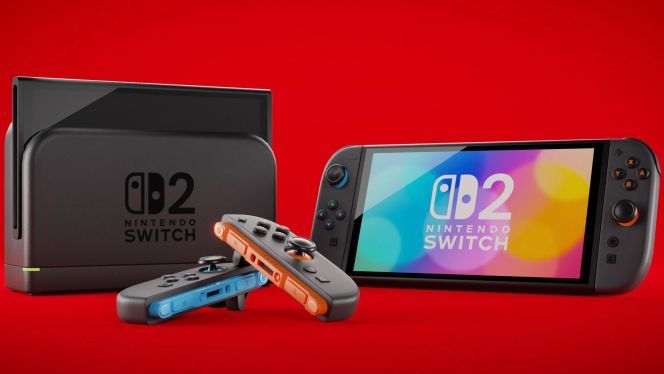
While you still can’t buy the Nintendo Switch 2 just yet, the 20.1.1 update quietly enables all its core features. Thanks to this first patch, the eShop is live, and the console is ready to read the new Game Key Cards – in short, the Switch 2 is launch-ready even before you can get your hands on it.
With less than a day to go before the Nintendo Switch 2 hits store shelves, we’re already getting a full breakdown of the system’s much-anticipated “Day 1 Patch.” This critical update from Kyoto activates all of the console’s main functions, essentially turning the Switch 2 into a fully operational device from the very first boot.
The most notable additions? The Nintendo eShop is up and running, and the console can now recognize Game Key Card cartridges – but that’s not all. This initial patch is not only vital for normal use, but also fixes a previously unaddressed software bug (Nintendo won’t say which one) that could have kept some games or apps from working correctly on the new hardware.
What’s New in Switch 2 Patch 20.1.1?
The rest of the patch content lines up with the features teased during the April 2 Direct showcase. Here’s the rundown:
• Nintendo Switch 1 software compatibility
• Full Nintendo Switch Online support
• GameChat activation
• News sharing
• Data transfers between your old Switch and/or another Switch 2
• Virtual Game Card implementation
• Nintendo eShop access
• Game news updates
• Upload screenshots and videos to Nintendo’s server/cloud
• Parental Controls app and Switch mobile app integration (required for viewing some screenshots and uploading videos)
One die-hard fan claims he drove to Italy to fill his car with Switch 2 consoles – I dug into the story to find out if he’s a genius or just trolling everyone.
The patch also enables permanent support for microSD Express cards – these are now the only officially supported memory cards for the console. Older cards (including those from your original Switch, unless they’re Express) simply won’t work in the Switch 2’s slot.
How to Update Your Nintendo Switch 2
The 20.1.1 update should download automatically the first time you power up the console or during the initial setup. If it doesn’t, don’t panic – you can always do it manually:
• Select System Settings from the Home menu
• Scroll down to the System submenu on the left
• Choose System Update. The Switch will check for new firmware and download it if available.
After installing, the console will restart. Once you’re back at the Home screen, you’ll be running the latest version. The original Switch also received a similar update this week, ensuring seamless data transfer and Game Share between the two generations.
Source: 3djuegos















Leave a Reply